
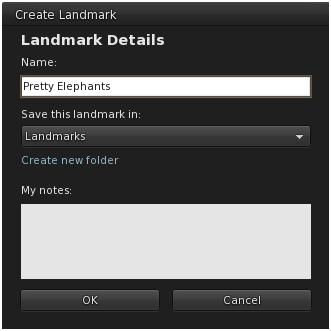
The Map and Create Landmark Tabs are a dynamic duo together. They show you where you are and make it real easy to get back again, all in a couple of clicks. When you create a Landmark you can call it something you will remember, hit save and it’s added to your Places, and the best part is, you will return to that exact spot, bypassing the public landing point. You can add it to a folder in your places at the same time as well, keeping the inventory tidy.

If you don’t already, start opening your Map screen every SLday. No really. And not the wee little default window, let’s go full screen and pull that focus out, all the way out my friends, and open it up big every time you are somewhere new, and marvel at how small you are in this world we created. The SL world map is a visual metaphor for Second Life, a collection of individual efforts that make a whole. It opens and you can’t help but feel a little awestruck each time, and it’s only when you start zooming in that you see the parts, and you keep zooming until you see the part that is you.
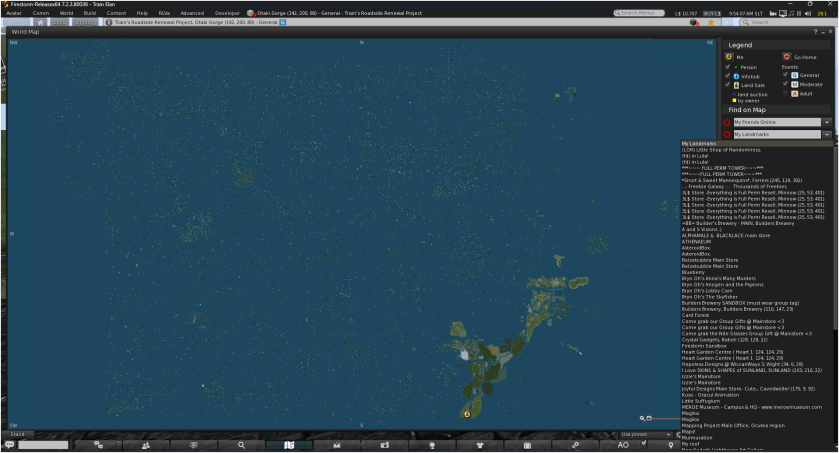
You see the mainland right away in the bottom right, and then the expanse of Linden Lab’s explorations out into the Grid, our small islands of pixelated humanity reaching ever outward one U at a time. Open your landmarks and see where those places exist on the grid. If you’re feeling really adventurous, look up a name and explore why it’s called that, and why you feel a bump in the road when crossing sims.
This is where you live when you’re plugged in my friends. If the teleporters broke down tomorrow and you were on the mainland, could you find your way home hmmmmm? Know your number, and know your surroundings and Second Life won’t be so second after all.

 Train's Tech Tips