How long it is matters, and so does its height, yes we are talking about photo uploads to Second Life in this, my first blog post.
Squishy head, stretch head, or just plain wrong looking, have you ever spent some time getting that perfect shot, only to have it look not so good in your profile? SL can be very specific about how it displays images, which means you need to make sure your upload is the correct aspect ratio, regardless of which viewer you use. Forget JPG’s too, only use PNG or TGA for best quality.
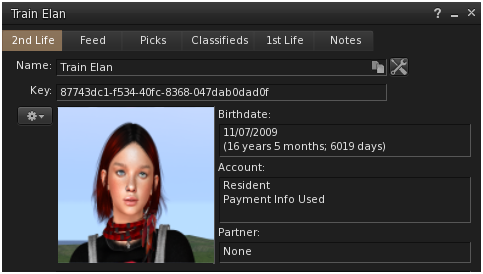
Your Profile Page.
Here are the desired photo sizes for uploads into your profile page.
2nd Life tab-> square, best upload size 512×512, OR
4:3 ratio, best upload size 1024×768
1st Life tab-> square, best upload size 512×512
Picks tab-> 16:9 ratio, best upload size 1024×576
Classifieds-> 3:2 ratio, best upload size 512×341
Notice that only the 2nd life space offers 2 options for uploads, square or landscape. Also, the actual px size doesn’t have to be exactly as listed, anything close enough to maintain that aspect ratio will work.
Textures for Building/Prims.
Must be “powers of 2” – 64, 128, 256, 512, 1024, 2048.
SL will auto-resize to the nearest power of 2 which can distort the image.
KEY TIPS for uploading photos to Second Life.
Max standard size: 1024×1024
Max high resolution: 2048×2048
Basic/Plus members: L$10 standard, L$50 high resolution.
Premium members: L$10 standard, L$40 high resolution.
Premium Plus: Free for everything.
I wish someone had told me these things when I was a young(er) avatar, so I hope that the posts in this blog bring you small nuggets of wisdom, or aha moments, to help you navigate this second life without a squished head in your profile pic. So re-size those images before uploading them, cuz size does matter my friends.

 Project Train